Cinematic Commuter Portrait in a Rainstorm Forest — AI Image Prompt Guide
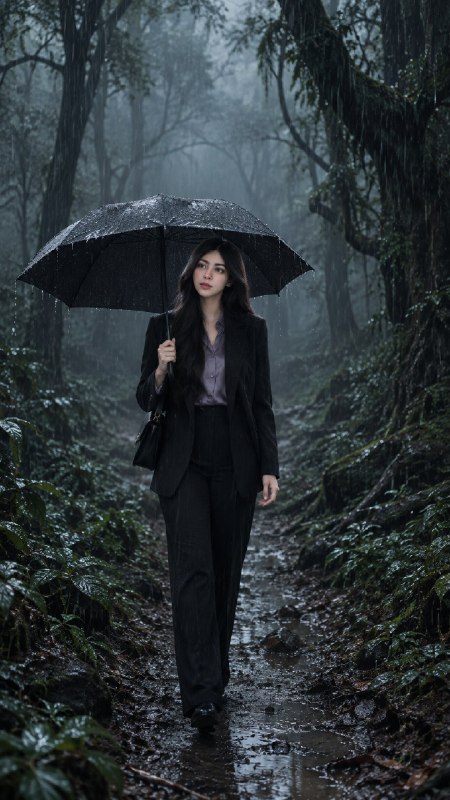
Keep a full-body commuter clearly visible among heavy rain, wet forest textures and volumetric fog for a restrained suspense-film mood.
English translation of the public case notes.
Create a vertical realistic scene of a professional woman with a black umbrella on a muddy forest path during heavy rain. The English brief combines a clear full-body subject, believable wet materials and a lightly unsettling cinematic atmosphere. Suggested uses include suspense covers, portraits and vertical posters. Define the main character, clothing and action first, followed by forest scale, rain detail and foggy depth. Finish with composition and exclusions. Specify both a clear visual focal point and a full-body composition so the forest does not reduce the person to a tiny incidental figure. Describe falling rain, droplets, puddles and wet fabric separately. Use cool low-saturation light, deep shadows and volumetric fog for suspense. Avoid an umbrella hiding the face, the subject disappearing into the environment, excessively busy foliage, overly literal horror imagery, text, logos and watermarks.
Original case notes (Chinese)
🚀 GPT-Image-2|雨林深处的孤身通勤 本期玩法:文生图 / 图像编辑。 别只收藏,最值得直接用的是:这个案例适合学习如何把人物、天气和恐怖氛围同时写清楚:先锁定主角与动作,再堆叠雨水、雾气、湿润材质和纵深阴影。适用于电影感人像、悬疑封面和竖版海报场景。 场景化拆解: 类型:文生图 输入:一段描述职业女性、暴雨森林、悬疑氛围和竖版构图的英文提示词 目标:生成一张全身人物清晰、环境潮湿真实、带轻恐怖电影感的竖版写实画面 关键词:职业女性 / 黑色雨伞 / 暴雨森林 / 泥泞小径 / 体积雾 / 冷调光影 / 湿润材质 / 悬疑氛围 重点:先定义主角身份、服装和动作,再描述森林尺度、雨水细节与雾气纵深,最后用构图和负面元素锁定成片边界 约束:避免人物被环境吞没、雨伞遮挡面部、森林细节过乱、恐怖元素过度具象化,以及出现文字、标志或水印 💡 拿去改模板时注意三点 • 用“清晰视觉焦点”和“全身构图”同时约束主体占比,防止广角森林把人物压得太小 • 把雨滴、水珠、小水洼和湿织物分层描述,能提升暴雨场景的材质可信度 • “冷调低饱和+深阴影+体积雾”比单写恐怖更稳定,适合做悬疑海报氛围 #GPTImage2 #OpenAI #AI绘画 #雨林悬疑 #电影写实 #氛围分层