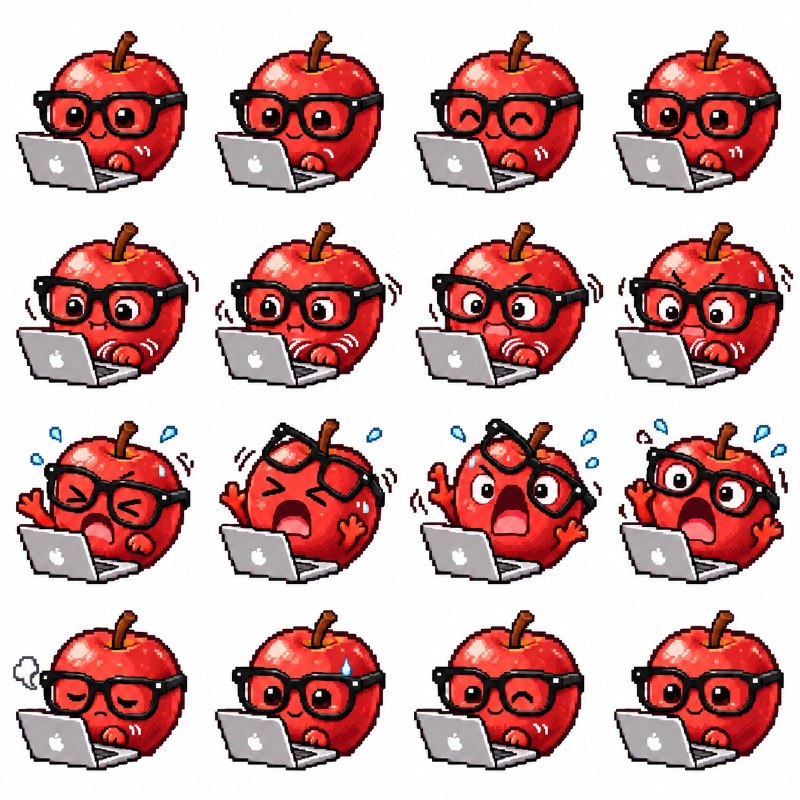
完整提示词
中文提示词
使用上传的图片作为角色参考。为这个精确的角色创建像素风战斗动画,并同时交付以下两项内容:一张包含正好 16 帧的精灵表(Sprite Sheet),排列为 2 行 × 8 列。
由这 16 帧制作的动画 GIF,背景为纯白色。

角色与风格
完整保留角色可识别的发型、发色、面部特征、服装、配饰和色彩方案。将设计转化为精细的 Q 版(Chibi)像素艺术,身高约为 3 头身,像素块清晰、轮廓干净、比例一致。战斗动画
设计一套与角色及其装备相符的连贯攻击序列。如果参考图中有武器,则使用该武器;否则创建徒手连招。
严格按照以下 16 帧结构:
• 第 1–3 帧:战斗站姿与蓄力预备
• 第 4–6 帧:蓄力与攻击加速
• 第 7–9 帧:打击与命中瞬间
• 第 10–12 帧:动作跟随与后坐力
• 第 13–16 帧:恢复到原始站姿  通过重心转移、清晰剪影以及头发与衣物可信的跟随动作,让攻击感觉有力。使用克制的像素风斩击轨迹或命中闪光,颜色需匹配角色调色板。一致性
全程保持相同的角色比例、镜头角度、面向方向和地面基线。维持正确的解剖结构(正好两条手臂和两条腿)。如果有武器,每一帧的数量和构造必须完全相同,绝不要为了表现运动而复制武器。运动轨迹必须是抽象的光效——不是额外的刀刃、手柄或幽灵武器。最后一帧需与第一帧高度接近,以实现平滑循环。精灵表
使用精确、均匀间距的 8 列 × 2 行网格。从左到右先读完第一行,再读第二行。每个格子内完整包含角色、武器、头发、衣物和特效,并留有充足空白边距。禁止相邻格子重叠、肢体被裁切、武器尖端被切掉、网格线、标签或帧编号。背景使用纯白色。GIF 制作
单独提取全部 16 帧,放在尺寸完全相同的画布上。对齐角色的触地点和身体位置,避免意外抖动。裁剪时保留所有肢体、武器和特效。使用较慢的预备动作、较快的攻击帧、短暂的命中停顿以及自然的恢复。持续循环,总时长约 1.5–2.5 秒。
每一帧 GIF 都必须是不透明的纯白色背景。明确禁用透明度,并在 GIF 调色板中保留纯白色。不要使用棋盘格、灰色背景或模拟透明度。
英文提示词
Use the uploaded image as the character reference. Create a pixel-art battle animation of this exact character and deliver BOTH: 1. A sprite sheet containing exactly 16 frames, arranged in 2 rows of 8. 2. An animated GIF made from those 16 frames, with a solid white background.CHARACTER AND STYLE
Preserve the character’s recognizable hairstyle, hair color, facial features, outfit, accessories, and color palette. Translate the design into detailed chibi pixel art, approximately 3 heads tall, with crisp pixel clusters, clean outlines, and consistent proportions.COMBAT ANIMATION
Design one coherent attack sequence that suits the character and their equipment. If the reference includes a weapon, use that weapon. Otherwise, create an unarmed combo.
Use this 16-frame structure:
• Frames 1–3: Battle stance and anticipation.
• Frames 4–6: Windup and attack acceleration.
• Frames 7–9: Strike and impact.
• Frames 10–12: Follow-through and recoil.
• Frames 13–16: Recovery into the original stance.  Make the action feel powerful through weight shifts, clear silhouettes, and believable follow-through in hair and clothing. Use restrained pixel-art slash trails or impact flashes that match the character’s palette.CONSISTENCY
Keep the same character scale, camera angle, facing direction, and ground baseline throughout. Maintain correct anatomy with exactly two arms and two legs. If a weapon is present, keep its count and construction identical in every frame. Never duplicate it to show movement. Motion trails must be abstract light effects—not extra blades, handles, or ghost weapons. Make the last frame closely match the first for a smooth loop.SPRITE SHEET
Use an exact, evenly spaced 8-column × 2-row grid. Read frames left to right across the top row, then the bottom row. Keep the entire character, weapon, hair, clothing, and effects inside each cell with generous empty margins. No overlapping adjacent cells, cropped limbs, clipped weapon tips, grid lines, labels, or frame numbers. Use a solid pure-white background.GIF PRODUCTION
Extract all 16 frames individually and place them on identical-sized canvases. Align the character’s ground contact and body position to prevent accidental jitter. Preserve all limbs, weapons, and effects when cropping. Use slower anticipation, faster attack frames, a brief impact hold, and natural recovery. Loop continuously, with a total duration of approximately 1.5–2.5 seconds.
Every GIF frame must have an opaque pure-white background. Disable transparency explicitly and preserve pure white in the GIF palette. Do not use a checkerboard, gray background, or simulated transparency.