From Combat Sprite Sheet to Looping GIF — AI Image Prompt Guide
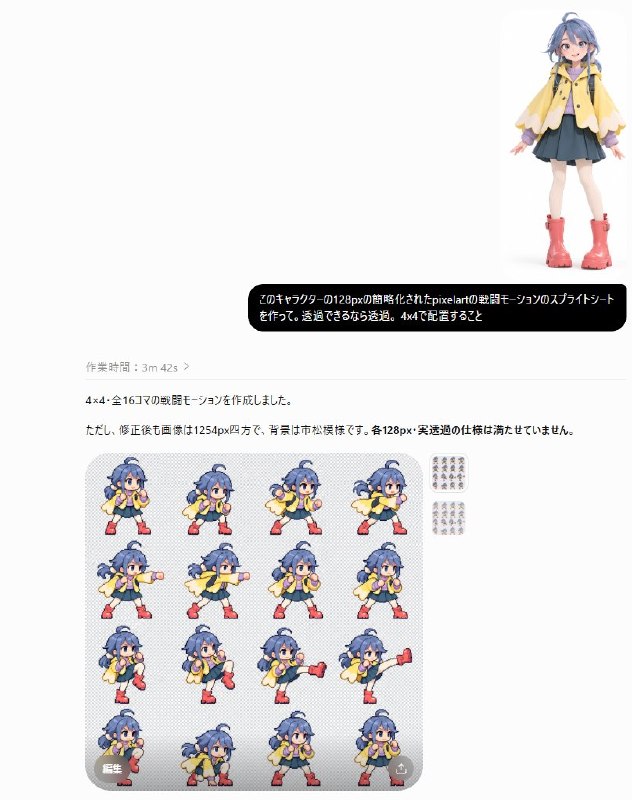
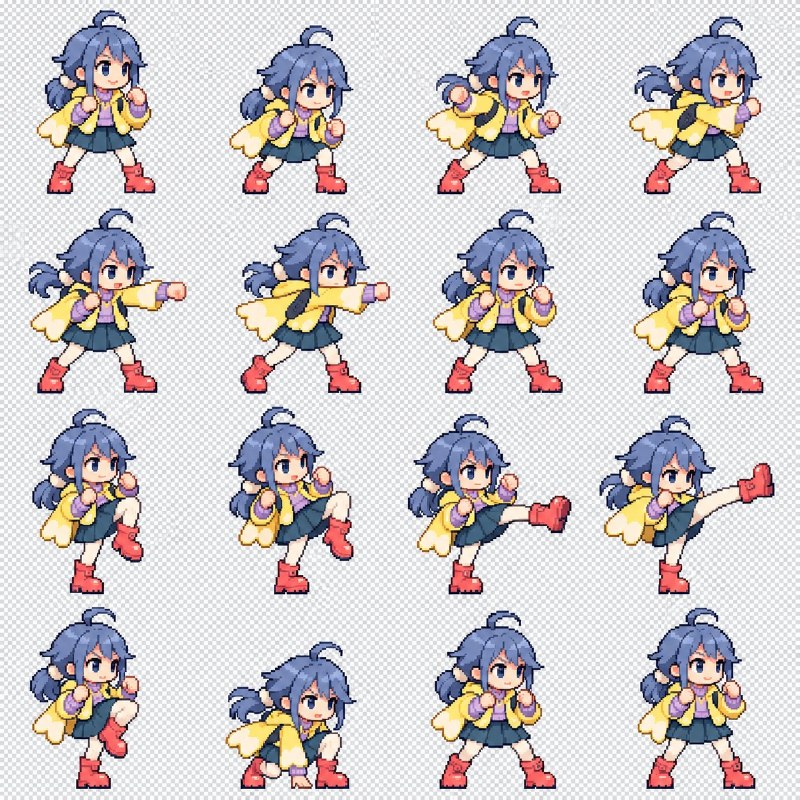
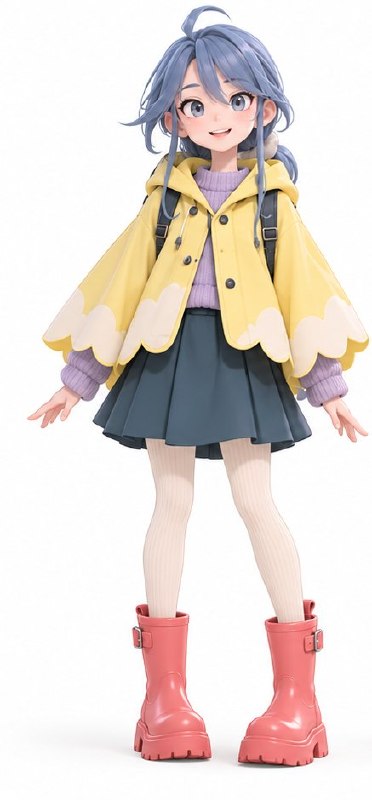
Slice a four-by-four combat sprite sheet into frames, check character alignment and motion continuity, then use the sequence to assemble a looping animation.
English translation of the public case notes.
Image-to-image/post-processing case converting a combat-action sprite sheet into a looping GIF. Use a regular grid with continuous poses and a clean background. The intended workflow makes the background transparent, splits a 4×4 grid, aligns the character and assembles the frames. Suggested uses include game-character motion, skill demonstrations and asset checks. The order matters: background cleanup first, sixteen-frame extraction second, position alignment and GIF composition last. Avoid unequal cell sizes, moving character centres, residual background and incorrect frame order. Practical controls: • Separate image generation from post-processing instead of expecting transparency, frame extraction and animation in one generation instruction. • State the grid dimensions explicitly. • Require position alignment specifically at the GIF stage to reduce visible jitter.
Original case notes (Chinese)
🔬 效果验证|战斗精灵表变成 GIF 实验类型:图像案例。 这次主要验证的是:这个案例展示了从战斗动作精灵表到动效 GIF 的拆解思路。值得关注的是后处理指令:先处理背景,再按 4×4 分帧、对齐并合成,适合游戏角色动作、技能演示和素材验证。 实验条件: 类型:图生图 输入:一张战斗动作精灵表,最好是规则网格、角色姿态连续、背景尽量干净 目标:将精灵表拆成 4×4 序列帧,对齐角色位置,并合成为循环 GIF 关键词:战斗动作 / 精灵表 / 4×4 网格 / 背景透明 / 帧对齐 / GIF 合成 重点:先明确“背景透明化”,再指定“4×4 拆分”,最后要求“位置对齐并生成 GIF”,顺序会直接影响后处理稳定性 约束:避免格子尺寸不一致、角色中心点漂移、背景残留、动作帧顺序混乱 💡 结果最说明问题的三点 • 把生成与后处理拆成两步,不在同一条指令里同时追求透明、拆帧和动效 • 明确网格规格,例如 4×4,能降低切帧和排序的不确定性 • 对 GIF 阶段单独要求位置对齐,可减少角色在播放时抖动 #GPTImage2 #OpenAI #AI绘画 #战斗动效 #像素精灵 #序列帧拆分